Continuing with cultural activities, the following items constitute
"John L's Bacteriology Pages" which are also indexed here
with additional commentary.
At least the Selected General Microbiology Topics will remain on the web in perpetuity – freely-accessible as always. Even though the Bacteriology 102 Site and the Microbiology 102 Site may be technically "archived," the reference material dealing with subject matter which is found in each site is updated as necessary. |
Selected General Microbiology Topics: Most are probably applicable to any general microbiology lab course. General index page is here.
- Nutrition and Cultivation of Bacteria
- General Overview of Catabolism
- Review of the Cycles of Elements
- Proper Usage of Terms and Scientific Names
- Flow Charts, Tables and Dichotomous Keys
- Selected Aseptic Technique Procedures (with movies!)
- Dilution Theory:
| |
"A differential medium can be formulated ('programmed') to exploit the characteristics of one or more particular physiological types of organisms, and the net result from competing alkaline and acidic reactions can assist greatly in the detection and differentiation of such organisms."
(A field of classical microbiology that is still fully viable and exploitable. This thought continues here.) |
| |
| My long-promised page on "ET Agar" for the isolation of Edwardsiella tarda is finally on the web here. This is essentially a distillation of various poster sessions (and their handouts) on the subject which were given publicly in the 1990s. |
| |
"Rather than (or in addition to) using 'oxygen relationships' as descriptive terms – however they may be determined or defined – we can characterize and classify bacteria more consistently and comprehensively by applying the method(s) of energy generation of which an organism is capable:
- aerobic respiration
- anaerobic respiration
- fermentation
- anoxygenic phototrophy
- oxygenic phototrophy"
(One of the foundations of microbiology examined in Bacteriology 102. More about this is here.)
|
| |
True or False: To isolate a certain kind of organism from a natural source, we always try to duplicate the original habitat of the organisms in the laboratory as much as possible.
False! This would not speed up the process by which you are attempting to get your isolated pure culture. Rather than waste time doing this, proceed with selective isolation procedures from your sample without undue delay. (More about this concept is covered here.) |
- The Differential Media Site:
- Main Index Page
- General Principles of pH-Based Differential Media
- Glucose Fermentation Broth and O/F Medium
- Thioglycollate Medium and the Concept of Oxygen Relationships
- Motility Medium
- Starch Agar: Amylase Test
- Blood Agar: Hemolytic Reactions and the CAMP Test
- Enteric Isolation Media (MacConkey, Hektoen Enteric, Brilliant Green and XLD Agars)
- More Enteric Isolation Media: EMB Agar for the isolation of coliforms and ET Agar for the isolation of Edwardsiella tarda
- Multipurpose Enteric Screening Media (KIA, TSI, LIA and MIO)
- Special Pages, some of which may be suitable as handouts: Programming an Enteric Plating Medium, KIA and MIO, TSI and LIA, Thioglycollate Medium, Glucose Fermentation Broth, and Glucose O/F Medium
- Bacterial Identification:
- Applied Food Microbiology:
- The "Beta-gal" Experiment:
The Archived / "Semi-Retired" Bacteriology 102 Website for Fall Semester, 2006:
Note: The pages marked with an asterisk (*) are in the process of being updated onto our "Selected General Microbiology Topics" Site (above), and eventually they will disappear from the list below. Also, these pages deal with subjects concerning laboratory microbiology in general and are not meant to be exclusive to any particular course.
- Home Page (Course Introduction, Grading System, Study Hints & Answer Keys, Links and More Links)
- Regarding Course Content and the Lab Manual:
- List of Topics Covered in the Course
- Manual Table of Contents with Links
- "Index" of Important Items in Manual
- Procedures for First Six Days of Lab
- Instructions and Guidelines for Lab Assistants in Bacteriology
- Some Special Things to Think About:
- Flow Charts and Tables*
- Dichotomous Keys*
- Overview of Catabolism and Oxygen Relationships*
- Reasons Why an Organism May Grow Anaerobically*
- Terms and Concepts Needing Further Explanation*
- A Special Set of General Review Questions
- Review Questions on Media Formulation
- A Special Review of Kligler Iron Agar (KIA)
- A "Programming" Exercise for KIA-like Media
-
Selected Microbial Groups and the Enrichment & Isolation Experiments:
- General Overview of Bacterial Enrichment and Isolation*
- Supplemental Review Page for the Enrichment and Isolation Experiments
- Sample Lab Report
- Exps. 9.3, 10.2 & 11 – Additional Notes & Photos
- Index of Selected Microbial Groups
- Purple non-sulfur photosynthetic bacteria*
- Bacillus*
- Salmonella*
- Coliforms*
- Bioluminescent bacteria*
- Iron bacteria*
- Pages on the lactic acid bacteria (the "lactics") and the Family Enterobacteriaceae (the "enterics") are out of date but may be "historically interesting."
- More Lab-related Items:
- The CFU Page*
- Explanation of Scientific Notation*
- Some Aseptic Transfer Procedures*
- Review of Microscope Technique*
- Directions for the Phase-Contrast Microscope*
- Exp. 5.4 – The Growth Curve*
- Exp. 8 – Review of Mutation and Recombination
- Exps. 12, 13 & 14 – Review
- Enteric Test Media Reactions (other than KIA)
- Answer Keys:
- Answer Key to Old Quiz Questions in Manual
- Answer Key to Old Final Exam in Manual
- Solutions to Sample Dilution Problems: Set 1, Set 2 and Set 3
The Archived / "Semi-Retired" Microbiology 102 Website for Spring Semester, 2014:
- Home Page (Course Updates and Links to General Information)
- Site contents include:
- Lab Lecture Notes and Course Information for the Current Semester
- Virtual Laboratory Experiments and Explanations of General Concepts which are not found on other sites
More Archived Courses:
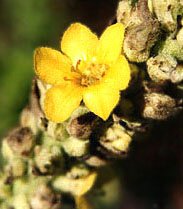
To what plant does this flower belong? Click here. |
- Farm Microbiology Short Course Website for Spring Term, 2008 (archived):
- Home Page
- Lecture Outlines with Notes (downloadable pdf files)
- Bacteriology 304 Website for Fall Semester, 2003 (archived):
- Home Page (Course Introduction, Useful Links, etc.)
- The Three Quizzes Given This Semester
- Some Aseptic Transfer Procedures
- Review of Microscope Technique
- Directions for the Phase-Contrast Microscope
- Bacteriology/Food Science 324 Website for Fall Semester, 1999 (archived):
- Home Page (Course Introduction, Useful Links, etc.)
- Old Quiz Questions and Answer Keys
- Sample Problems and Answer Keys
- Old Final Exams and Answer Key
E. B. Fred Hall:

|
 MISSING IMAGES?